Archive data from the Wur W drive with wur ibridges
Intro
WUR ibridges is a WUR version of the iBRIDGES gui. In this WUR version we enable specific functionality that is only implemented in the WUR iRODS systems. One of those functionalities is W_drive archiving. If you have folders on the Wdrive that you want to archive to tape, you can use WUR ibridges to do so. The archiving will then automatically be done by the iRODS system itself, without the need to maintain an active connection to iRODS yourself for a longer period of time. Practically what happens is the following:
- You give the order to transfer a folder from W-drive to tape using iBridges
- We check whether the right permissions are in place
- We package all the data in various .tar files, with a size of approximately 300GB (unless individual files are larger than 300GB)
- We upload these files to iRODS and send them to tape
Prerequisites
- WUR iBridges installed
- WUR account to access irods
- For the generic WUR iRODS check here
- For any other WUR iRODS instance contact the instance administrator
- N.B. for yoda this does not work
- W-drive read access to user SRV_IRODS_PROD so iRODS can read the files. N.B. write access is not needed, and thus should not be given.
WUR ibridges is only available for windows
If you want a version for linux or macOS contact us for more details.
WUR ibridges screen
Below is an explanation on what to do after logging in to WUR bridges:
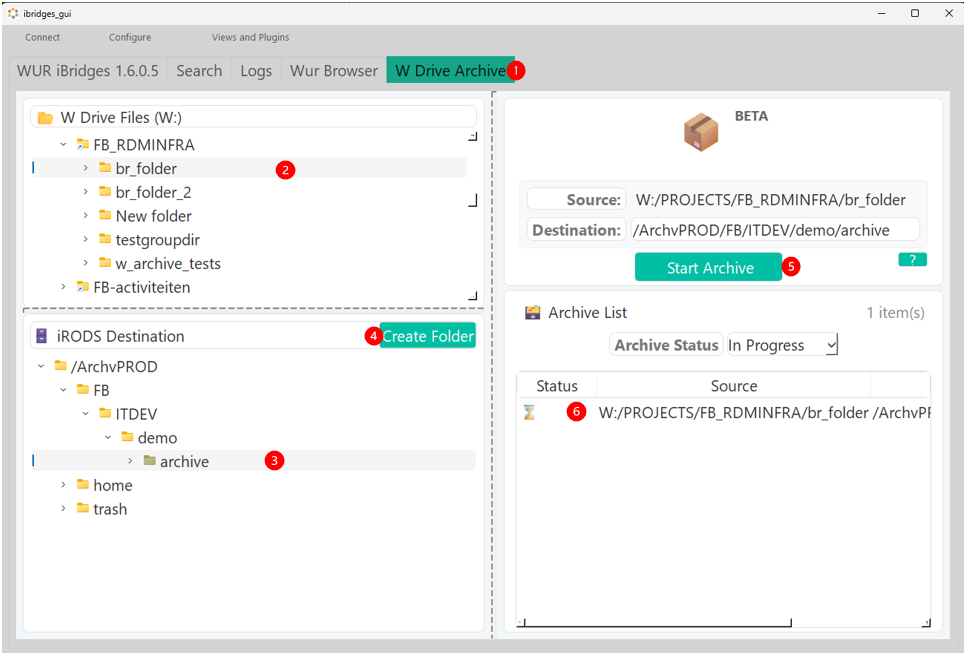
- Click the W-drive archiving tab
- Select the folder from the W-drive to archive
- Select the folder in iRODS you want to archive to
- Optionally create a new folder
- Check if the source and destination is correct and start archiving
- Wait and check back for results here. Double click for extra information about a single request. N.B. because the process is catered to large directories, this can take a while, even for small directories.
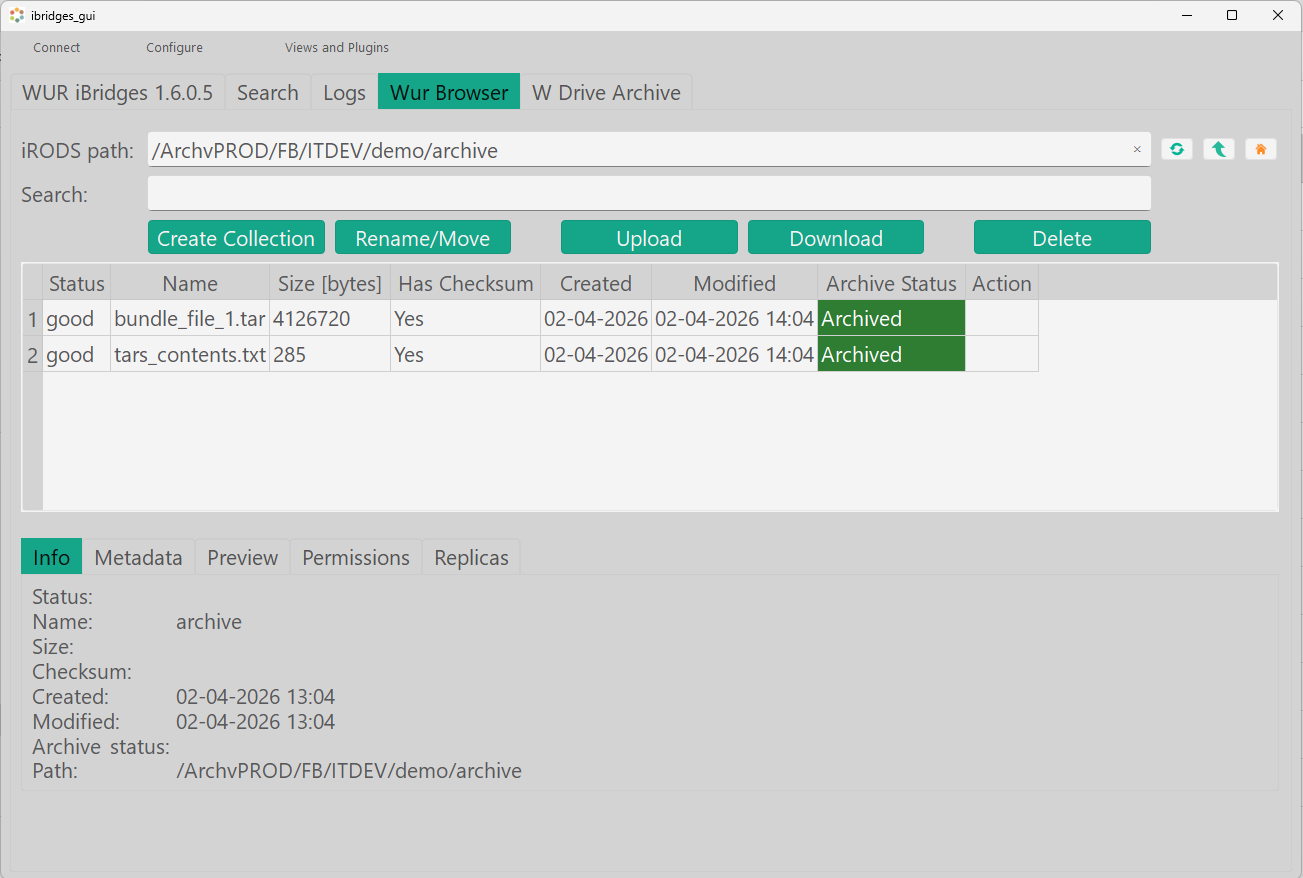
- After archiving check the WURbrowser tab for all files you have access to in iRODS:
Metadata added
If you are curious and want to follow metadata manually, below are the metadata fields that are added to the collection in various stages of processing:
| META_COLL_ATTR_NAME | META_COLL_ATTTR_VALUE | description |
|---|---|---|
| WUR_RDM:collection:w_path | /directory/projectX/myfolder | Original path for w-drive folder |
| WUR_RDM:dataset:ingest_archive_status | requested/bundling/archived | technical status for ingests |
| WUR_RDM:ingest:start_date | dd-mm-yyyy | Date the archive request was given |
| WUR_RDM:ingest:end_date | dd-mm-yyyy | Date the archive request was completed |
| WUR_RDM:ingest:total_source_files | number | Total amount of files found in your W-drive directory |
| WUR_RDM:ingest:total_source_directories | number | Total amount of subdirectories found in your W-drive directory |