Skip to content

Step 5: Data Sharing

Share the Dataset with a Collaborator

Grant read access to another user on the entire iris_data collection. Ask your neighbour for their username.

Share data
ichmod -r read collaborator_username /WCDSacc/courses/11032025/your_username/iris_data
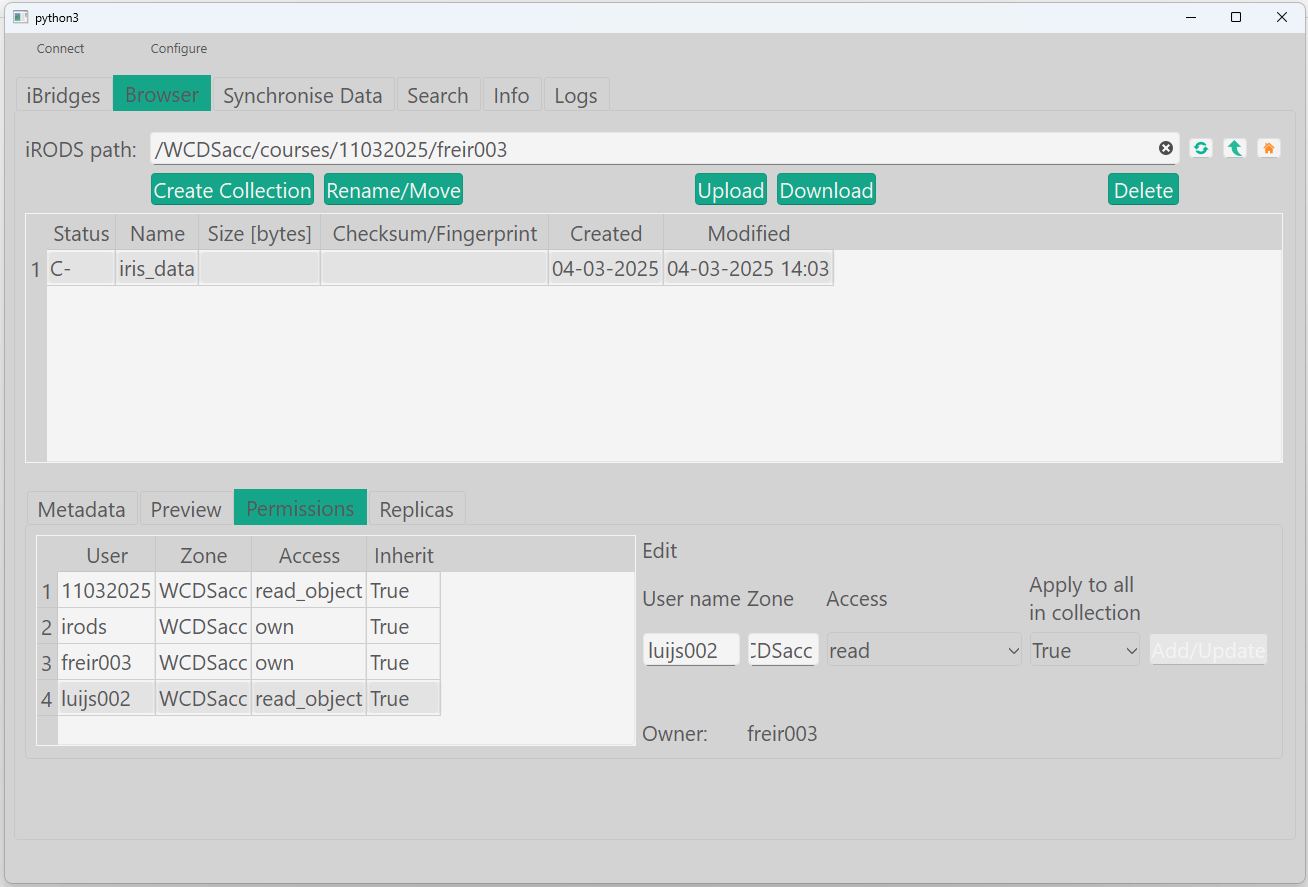
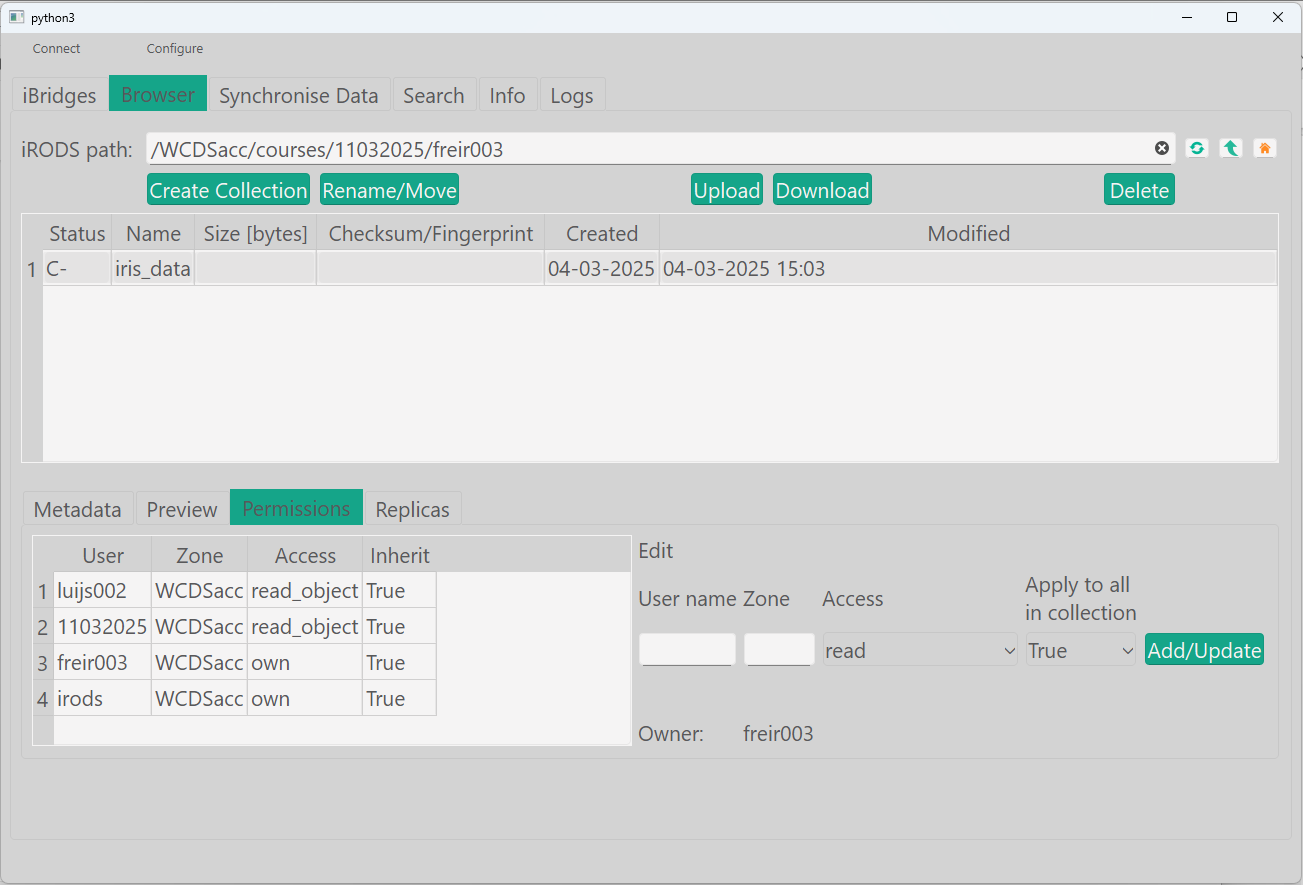
  1. Nagivate to your home folder and select the collection 'iris_data'.
  2. Select the permissions tab.
  3. Add your neighbour 'user name', zone: WCDSacc, access: read and click 'Add/Update'

Add read acl

gocmd chmod -r read collaborator_username /WCDSacc/courses/11032025/your_username/iris_data

Modify rights of a user (for a specific collection). Note: 'new_access' can be: read/write/own/null

from connect import connect_to_irods
from irods.column import Like
from irods.access import iRODSAccess
from irods.models import (Collection, CollectionAccess, CollectionUser, Group, User)
from irods.user import iRODSUser, iRODSGroup
import pprint

session = connect_to_irods()


def modaccess(username, coll, new_access):
    try:
        result = []

        x = session.collections.get(coll)
        session.acls.set(iRODSAccess(new_access, coll, username))
        print('Privileges modified.')
        result2 = session.acls.get(x)
        result.append(result2)
    except irods.exception.CollectionDoesNotExist:
        print('Collection does not exist.')


# Example
modaccess('abcde001', '/WCDSacc/courses/11032025/your_username/iris_data', 'read')    
...    

Check who has what level of access to the datasets

See data permissions 1
ils -A /WCDSacc/courses/11032025/your_username/iris_data

List acls in collection

gocmd ls -A /WCDSacc/courses/11032025/abcde001/iris_data
...    
def checkaccess(path, access):
    q2 = session.query(User, CollectionAccess).filter(Collection.name == path,
                                                      Like(CollectionAccess.name, f'{access}%'))
    print(f'The following users or groups have {access} access to collection {path}')

    for user in q2:
        print(user[CollectionAccess.name])
        u = user[User.name]
        utype = user[User.type]

        if utype == 'rodsgroup':
            current_group = session.groups.get(u)
            grp_usr_mapping = [(iRODSGroup(session.groups, result), iRODSUser(session.users, result)) for result in session.query(Group, User).filter(Group.name == current_group.name)]
            print('Group', current_group.name, ' users: ')
            pprint.pprint(" ".join([y.name for x, y in grp_usr_mapping if x.id != y.id]))
        else:
            print(f'User: {u}')

        print('---')


# Example
checkaccess('/WCDSacc/courses/11032025/abcde001/iris_data', 'read')
...

Check if you have access to the data of someone else in this course!

See data permissions 2
ils -r /WCDSacc/courses/11032025
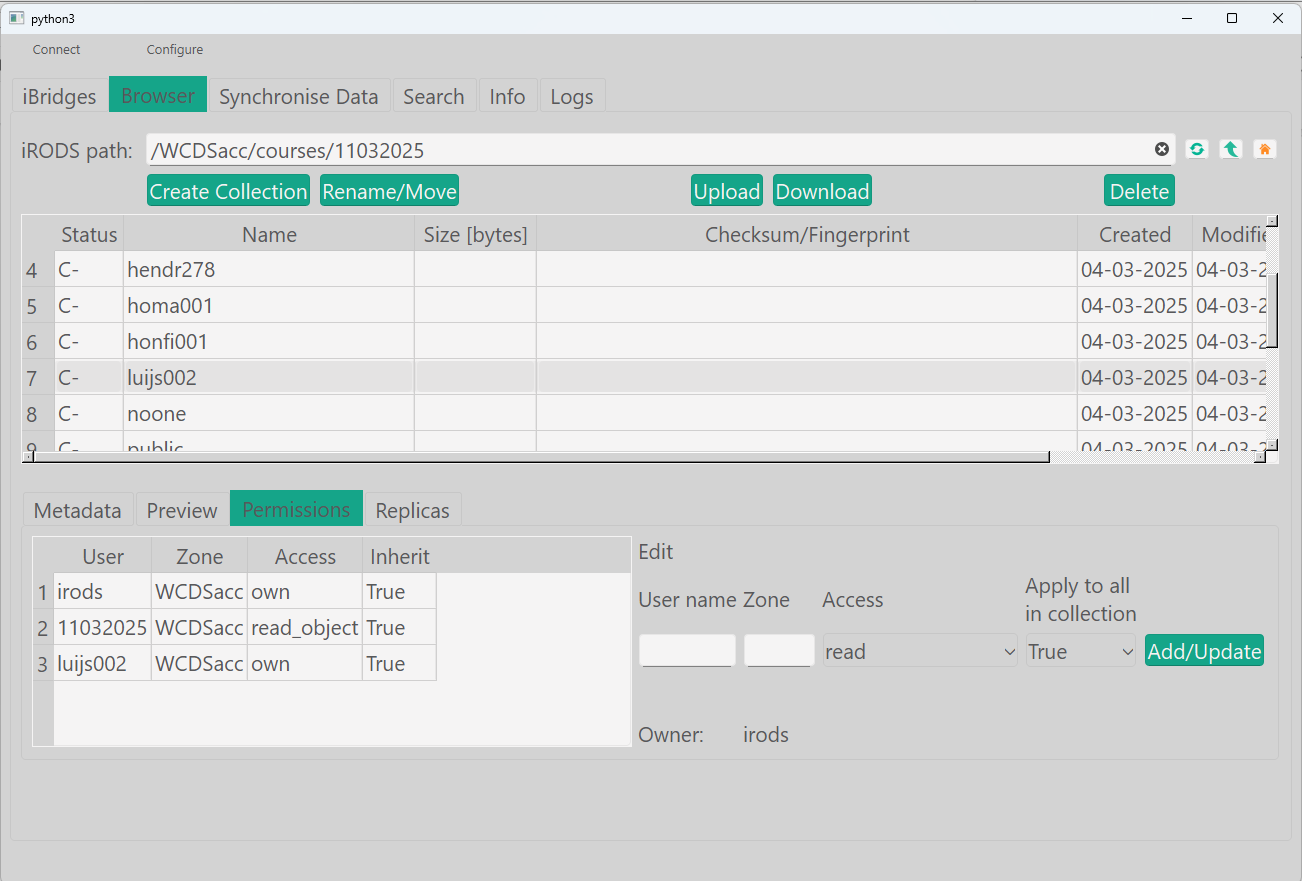
  1. Navigate to the parent folder.
  2. Look for your user in the permissions.

See acls in parent collection

gocmd ls -A /WCDSacc/courses/11032025
...
def myaccess(username, access):
    try:
        q = session.query(Collection, CollectionAccess).filter(CollectionUser.name == username, Like(CollectionAccess.name, f'{access}%'))
        for coll in q:
            print(coll[Collection.name])
            print('___')
    except Exception as e:
        print(f'Error: {e}')


# Example
myaccess('abcde001', 'read')

Revoke Access from the Collaborator

Revoke the read access from the collaborator.

Remove permissions
ichmod -r null collaborator_username /WCDSacc/courses/11032025/your_username/iris_data
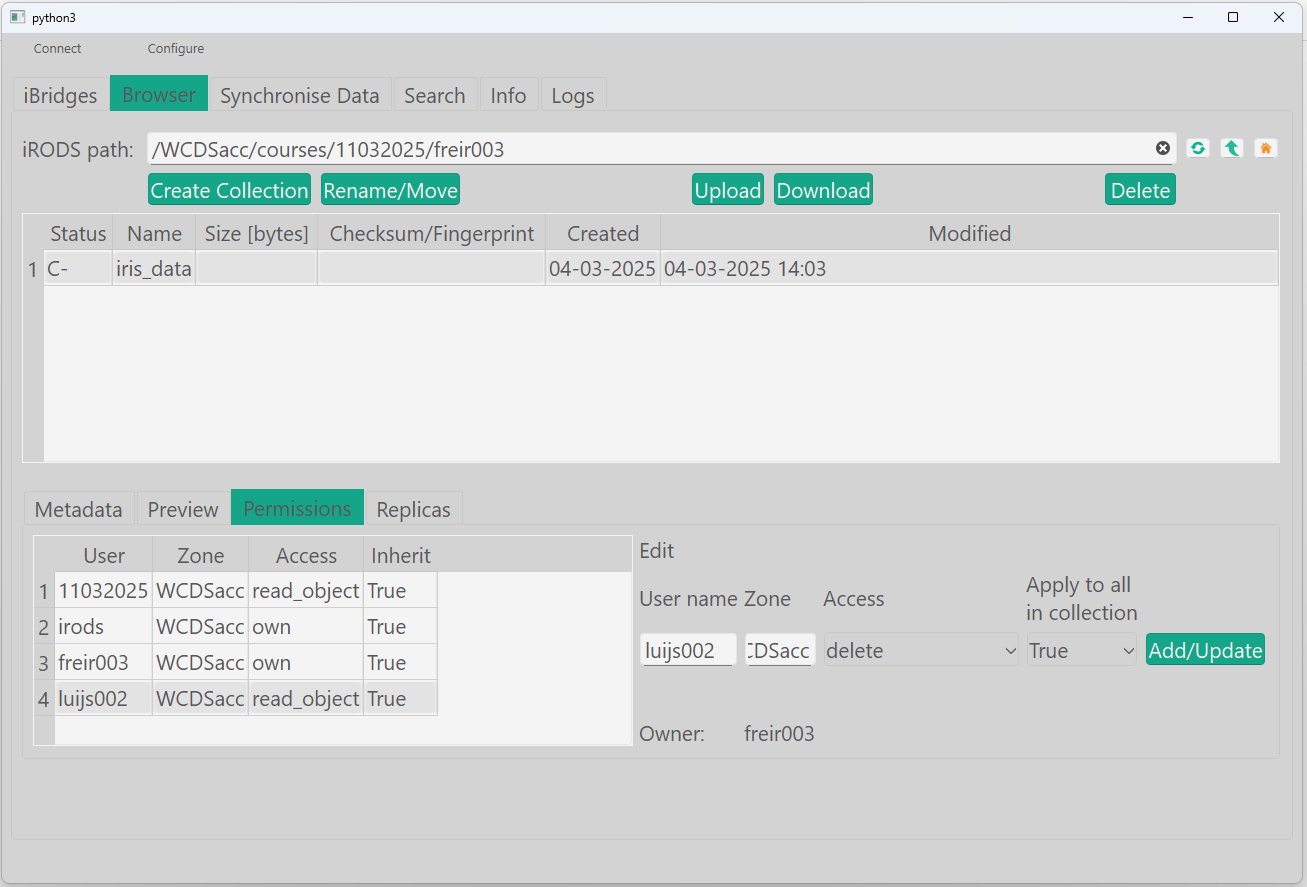
  1. Nagivate to your home folder and select the collection 'iris_data'.
  2. Select the permissions tab.
  3. Select yout neighour 'user name'.
  4. Change the access to delete and click 'Add/Update'

Remove permissions

gocmd chmod -r null collaborator_username /WCDSacc/courses/11032025/your_username/iris_data

See the first example. By setting the new_access argument to 'null', all permissions will be revoked.

Extra exercise

Create a file in /WCDSacc/courses/11032025/public, and one in /WCDSacc/courses/11032025/your_username and see what the difference in authorisations is. Can you figure out why using ils?