Skip to content

Step 6: Downloading Data

Download the Data File

Download a data file from the iRODS collection to your local machine.

Download file
iget /WCDSacc/courses/11032025/your_username/iris_data/iris.data /path/to/local/directory/
  1. Nagivate to your home folder and select the collection 'iris_data'.
  2. Select the iris.data and click Download.
  3. Select a local folder in click Download.
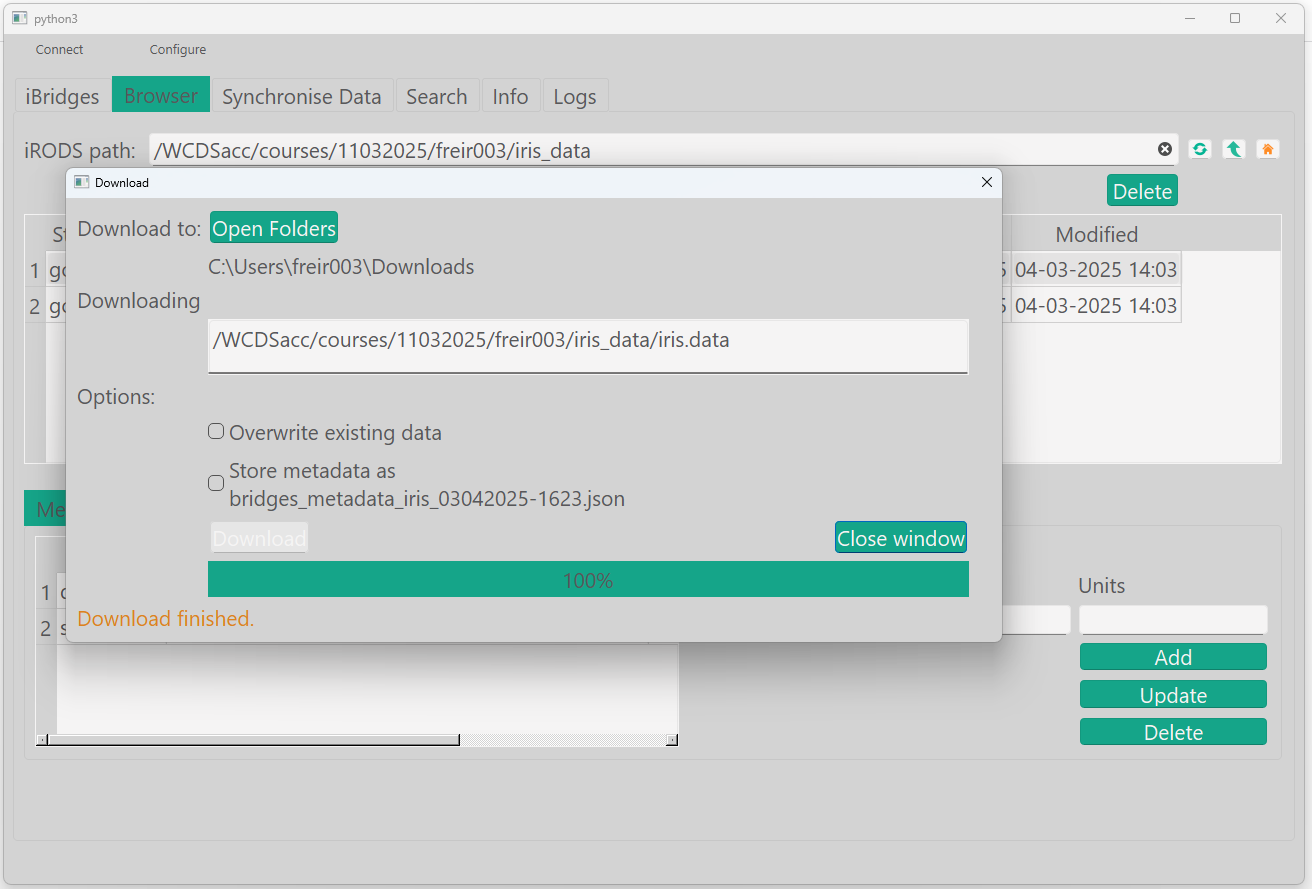
Download file

gocmd get /WCDSacc/courses/11032025/your_username/iris_data/iris.data /path/to/local/directory/

For downloading a single file:

import os
import irods.exception
from connect import connect_to_irods

session = connect_to_irods()


def download(logical, local):
    return session.data_objects.get(logical, local)


# Example
download('/WCDSacc/courses/11032025/your_username/iris_data/iris.data', 'path/to/local/directory')
...

For downloading a collection:

...
def download_coll(coll_name, local=None):
    if local is None:
        # Specify where you want the collection to be downloaded.
        local = os.path.join(r"C:\Users")
    try:
        coll = session.collections.get(coll_name)
        local = os.path.join(local, coll.name)
        if not os.path.exists(local):
            os.mkdir(local)
        for obj in coll.data_objects:
            download(obj.path, local)
        for subcoll in coll.subcollections:
            if not os.path.exists(local):
                os.mkdir(local)
            download_coll(subcoll.path, local)
        print("Collection downloaded")
    except irods.exception.CollectionDoesNotExist:
        print('Collection does not exist.')


# Example:
download_coll('/WCDSacc/courses/11032025/abcde001/iris_data/iris.data')

Extra assignment

If you download it to the same locations as where you uploaded it from, you will get an error. Do you know how to solve this error?