Step 2: Upload the Dataset to iRODS
Create a Collection for the Dataset
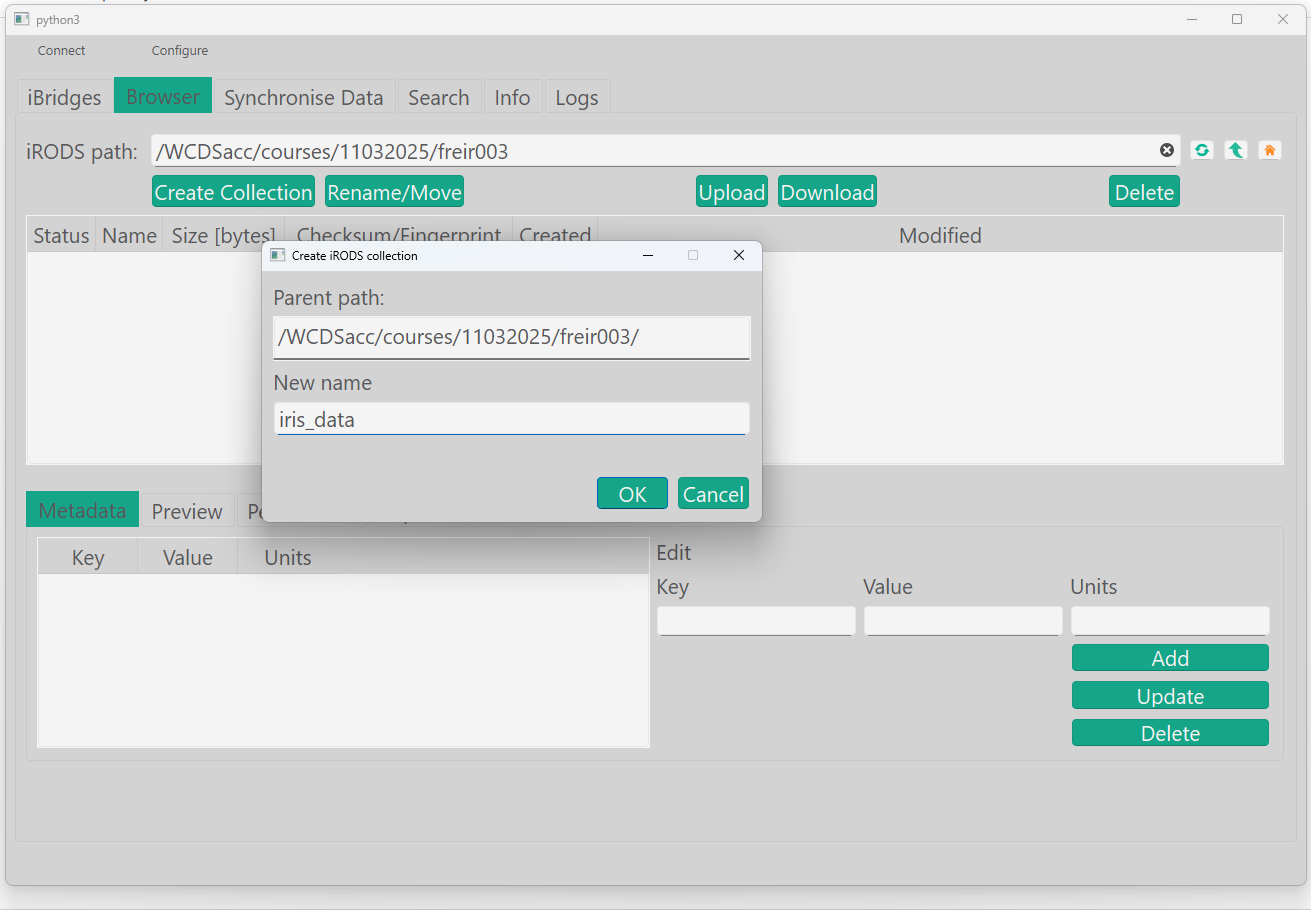
Create a new collection (directory) in iRODS to store the dataset.
Create collection
- Click the button 'Create Collection'
- In your home folder, create a collection named 'iris_data'
Upload Files to the Collection
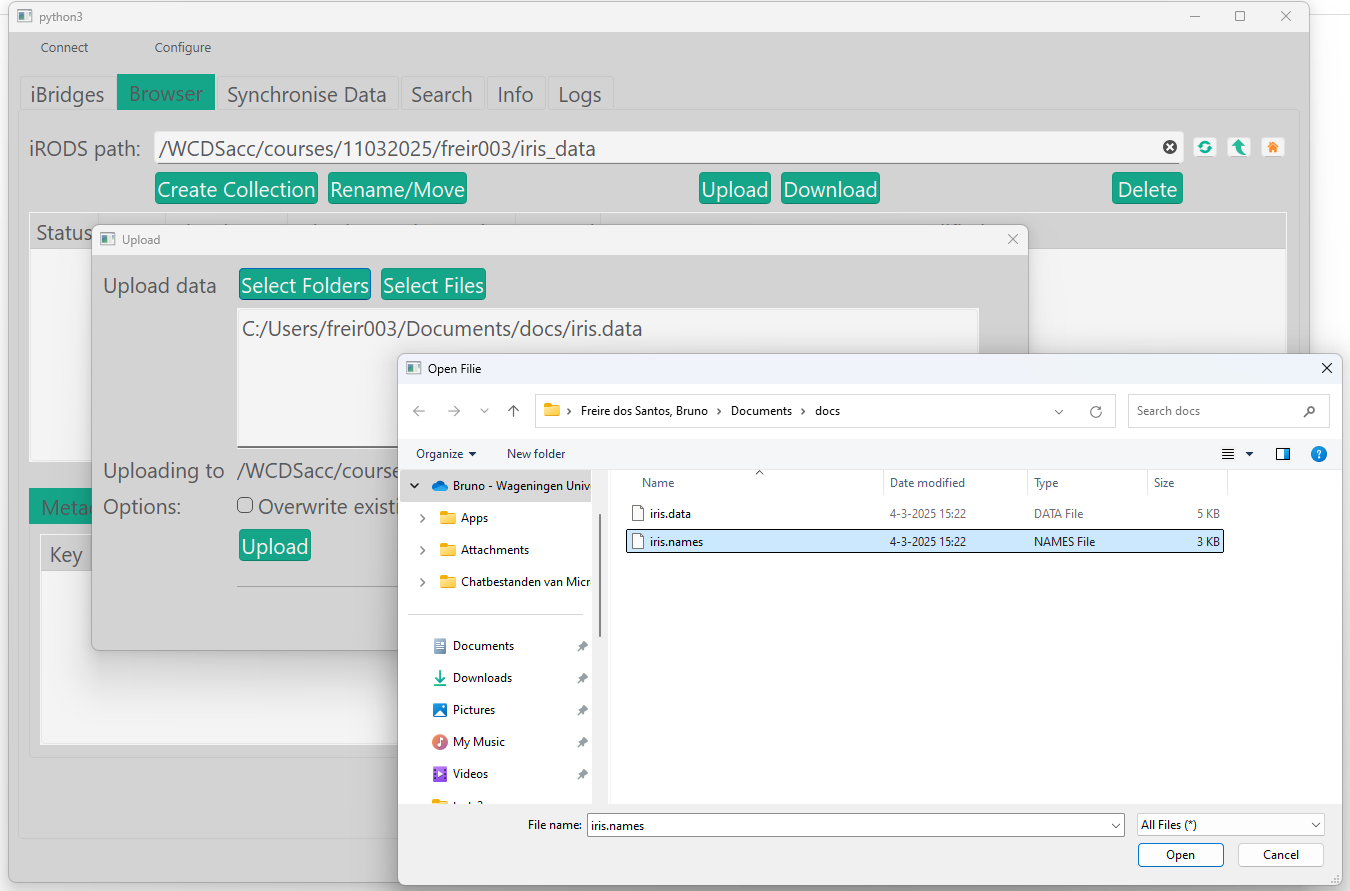
Upload the downloaded files to the newly created collection.
Upload files to a collection
- Click the button 'Upload'
- Select the previously downloaded files
- Click 'Upload' in this upload window. Close it when done.